Until now, triaging alerts, investigating cases, and executing response actions were all carried out within Radiant’s UI. Starting today, that changes. Your workflows can now trigger actions back into Radiant, making our automation and insights available without ever leaving your preferred UI
Day-to-day actions the API supports
The API gives read and write access to the core objects your team works with every day, such as:
-
-
-
- Alerts: Stop switching tabs to check Radiant. Pull the alert queue straight into the tool your team already monitors – filtered by status, priority, type, or date range – complete with AI verdict, enriched entities, and source event details. Status updates, including bulk changes, can be made from that same external tool.
-
-
-
-
-
- Cases. Keep your case management system in sync with Radiant without manual reconciliation. As investigations evolve — ownership changes, severity shifts, alerts are added or removed — both Radiant and your external tools stay automatically aligned.
-
-
-
-
-
- Activity and comments. Keep one source of truth for an investigation, no matter where the work happens. Comments added from external systems are attributed to the correct alert or case, so the audit trail stays complete even when your team never opens the Radiant UI.
-
-
Where to implement the API
If your SOC already has a defined toolset your team operates from, the API is built to meet you there. This includes:
-
-
-
- Ticketing Integrations: When Radiant escalates an alert to malicious, a ticket opens in your ServiceNow, Jira, or PagerDuty with the full context already attached.
-
-
-
-
-
- Custom Analyst Dashboards: Build the ops view your team needs without relying on Radiant’s built-in reporting.
-
-
-
-
-
- SOAR Connectors: Radiant’s triage outcomes automatically flow into your playbook execution layer. Alert status can be updated from the SOAR side, keeping Radiant in sync without manual work.
-
-
-
-
-
- MSSP Portals: Pull per-tenant alert and case data into your own customer-facing interface. Post comments and update statuses from your platform, without requiring customers to log into Radiant directly.
-
-
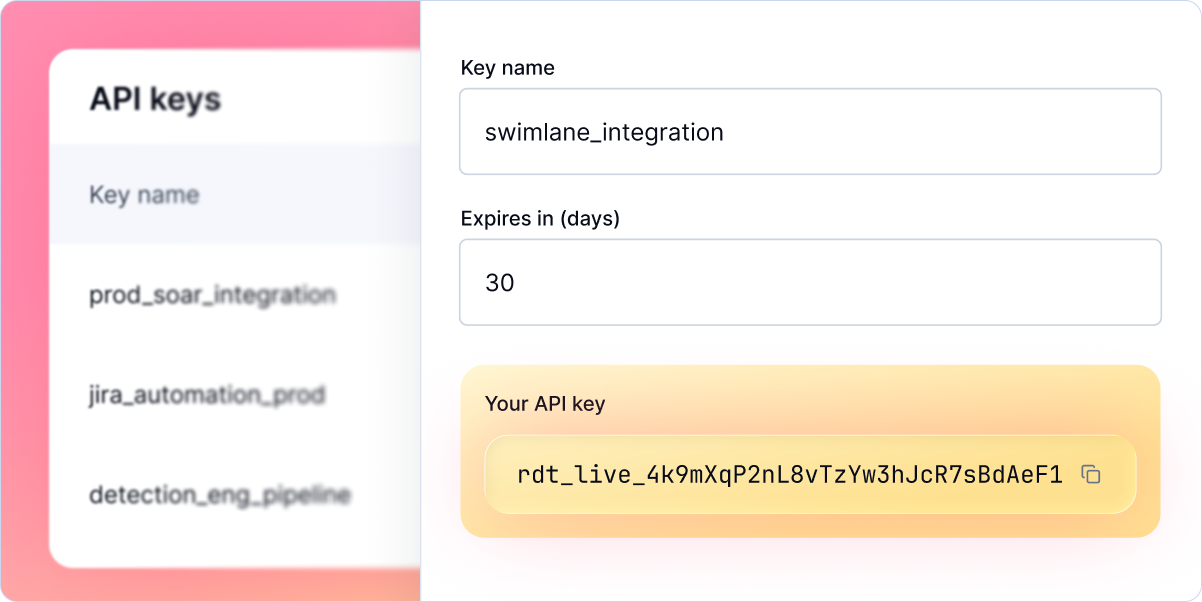
Get Started
Provisioning an API key takes just a few seconds from the Radiant dashboard under Settings. The OpenAPI reference is available in our developer docs.
If you’re not yet a Radiant customer and want to learn more, speak to our sales team. If you’re an existing client, reach out to your Customer Success contact to get started.